How to Fix Invalid JSON Trailing Comma Errors (With Examples)
Fix the invalid JSON trailing comma error in seconds. Learn why JSON bans trailing commas, how parsers flag them, and how to strip them with regex.
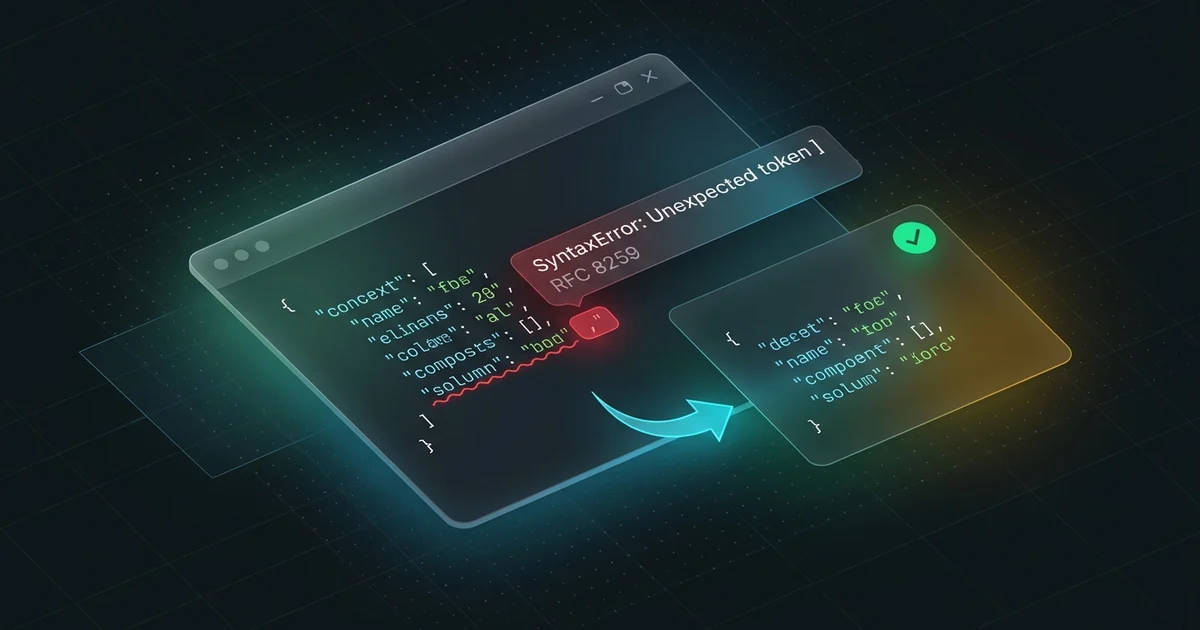
To fix an invalid JSON trailing comma, remove the comma right before the closing bracket ] or brace }. Standard JSON strictly forbids commas after the final item in arrays and objects.
If you have a large file with hundreds of lines, paste it into our JSON formatter. The tool runs directly in your browser. It highlights the bad comma instantly and cleans your data without sending private code over the network.
Here is what triggers the error. You will see how parsers flag it and how to fix invalid JSON trailing comma issues across your stack.
The 10-second fix
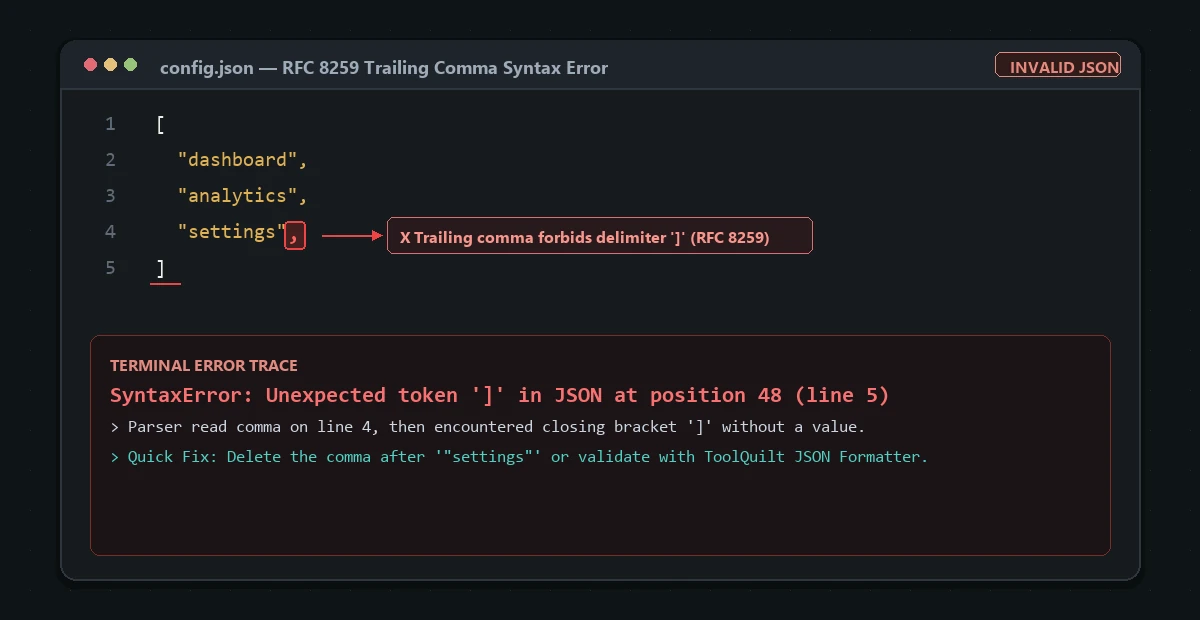
Look at the end of your arrays and key-value maps. A comma tells the parser that another item comes next. When the parser sees a closing bracket instead, it halts immediately.
Here is an invalid JSON array:
[
  "dashboard",
  "analytics",
  "settings",
]
To fix it, delete the comma after "settings":
[
  "dashboard",
  "analytics",
  "settings"
]
The exact same rule applies to objects. Here is an invalid object with a dangling comma:
{
  "project": "ToolQuilt",
  "version": "2.4.0",
  "private": true,
}
Remove the comma after true:
{
  "project": "ToolQuilt",
  "version": "2.4.0",
  "private": true
}
Every comma in JSON must sit between two existing items. It can never sit alone at the end.
Real error messages across languages
Different runtimes throw different errors for this mistake. Here is what you will see in your terminal and logs.
JavaScript and Node.js
Node.js throws a SyntaxError when you run JSON.parse():
SyntaxError: Unexpected token '}' in JSON at position 64
    at JSON.parse (<anonymous>)
    at Object.<anonymous> (/app/config.js:8:14)
Notice that Node points to the closing brace, not the comma itself. The parser read the comma and expected a key. When it found } instead, it crashed.
Python
Python’s json.loads() reports an error like this:
json.decoder.JSONDecodeError: Expecting property name enclosed in double quotes: line 4 column 1 (char 53)
Python expects another quoted key after a comma. It points to the closing brace on line 4.
Tools and package managers
If you leave a trailing comma in your package.json, npm fails with:
npm error JSON.parse Expected double-quoted property name in JSON at position 182
npm error JSON.parse while parsing near '...  "private": true,\n}'
Docker builds and GitHub Actions workflows break similarly when config files contain invalid JSON.
Why does JSON ban trailing commas?
Douglas Crockford specified JSON in 2001. He based it on JavaScript object syntax from ECMAScript 3.
At that time, browsers handled trailing commas inconsistently. Internet Explorer 6 and 7 threw runtime errors on trailing commas in arrays. Other browsers simply ignored them.
Crockford wanted JSON to be a strict data interchange format. He intentionally made the grammar minimal. He disallowed comments, trailing commas, and unquoted keys.
Today, JavaScript, Python, TypeScript, and Go all support trailing commas in native code. Developers love them because git diffs look cleaner. But the official JSON specification (RFC 8259) never changed. Pure JSON remains strictly comma-separated.
How to fix invalid JSON trailing comma in code and config files
When you deal with hundreds of lines, hunting for a comma by hand wastes time. Here are three quick ways to clean your files.
1. Clean it in your browser
The fastest method is using a validator. Paste your payload into our free JSON formatter.
The tool parses your text locally with zero server requests. It draws a line marker at the dangling comma and formats your payload in one click.
2. Use a regular expression in VS Code
You can strip trailing commas across an entire document using search and replace.
Open your file in VS Code or any text editor. Press Ctrl + H (or Cmd + H on macOS). Enable the regular expression toggle (.*).
Use this pattern in the search field:
,\s*([\]}])
Use this in the replace field:
$1
Click Replace All. This finds any comma followed by whitespace and a closing bracket or brace. It replaces the block with just the closing character.
3. Handle it programmatically in Node.js
If you ingest user-generated JSON from webhooks or files, pure JSON.parse() will fail.
You can use a lenient parser like json5 or strip trailing commas before parsing:
import json5 from 'json5';

const rawInput = '{"status": "ok", "retries": 3,}';

// json5 parses trailing commas and single quotes without errors
const parsed = json5.parse(rawInput);
console.log(parsed.status); // "ok"
If you work with raw API strings, check whether the payload was encoded. Many webhook platforms pass JSON inside Base64 strings. You can use our Base64 encoder/decoder to inspect and verify the raw text before parsing.
Config files: when trailing commas are allowed
Not every file with a .json extension follows strict RFC 8259 rules. Some developer tools support relaxed formats.
Allowed: VS Code and TypeScript
VS Code uses a format called JSONC (JSON with Comments). Files like .vscode/settings.json, .vscode/launch.json, and tsconfig.json allow trailing commas. You can also add single-line // comments.
If your editor complains about a trailing comma in tsconfig.json, verify your editor mode. Set the language mode in the bottom-right corner to JSON with Comments.
Forbidden: NPM and API payloads
Standard tools demand strict JSON:
package.jsonpackage-lock.json.eslintrc.json- REST and GraphQL HTTP request bodies
Never leave a trailing comma in package.json. It will break deployment pipelines and CI builds.
How to prevent trailing comma errors in your workflow
You can automate checks so bad JSON never reaches your main branch.
First, set up a linter. Add Prettier or Biome to your repository. Prettier formats JSON files on save and strips trailing commas automatically.
Second, add a pre-commit hook. Tools like Husky or Lefthook can run prettier --check before git records a commit.
Third, validate files in CI. Add a step in GitHub Actions:
- name: Validate JSON files
  run: |
    find . -name "*.json" -not -path "*/node_modules/*" -exec python -m json.tool {} /dev/null \;
This tiny command scans every JSON file in your repository. It fails the pull request if any file has an invalid comma.
Frequently asked questions
Will JSON ever support trailing commas?
No. The JSON standard (RFC 8259) is permanently closed to new syntax features. Changing the spec would break millions of existing parsers in banking, hardware, and legacy software. Use formats like JSON5 or YAML if you need modern syntax.
Why does JSON.parse fail when my JavaScript file works fine?
JavaScript is a full programming language. Modern ECMAScript specifications permit trailing commas in arrays, objects, and function parameters. JSON is only a static data format. It uses an older, stricter grammar.
Can I put comments inside JSON to explain the data?
Standard JSON does not support comments. Any line starting with // or /* will trigger a parse error. If you need comments for documentation, use JSONC or store your notes in a dedicated "_comment" key.
Is it safe to paste private JSON payloads into ToolQuilt?
Yes. Our tools execute client-side inside your browser sandbox. Your data never leaves your computer, and we never store your payloads on any server.
Next step
Now you know how to fix invalid JSON trailing comma bugs and how to avoid them in your codebase.
If you are dealing with a broken config file or an API payload right now, open the JSON formatter and clean it in seconds.