HSL vs HEX: Why Modern CSS Design Systems Prefer Functional Color
Hard-coded hex codes make dynamic theming and tinting painful in CSS. Here is why modern design systems use functional colors like HSL and OKLCH.
For decades, web design ran on hex codes. You opened Figma, copied #2F6F68, pasted it into your CSS, and moved on.
In a modern design system with dark modes, hover states, and dynamic theming, hard-coded hex codes turn your stylesheet into a maintenance nightmare.
The quick takeaway is: HEX codes are rigid identifiers for machines. Functional color models like HSL (and modern OKLCH) let you decouple hue, saturation, and lightness, allowing you to generate tints, shades, and dark mode variants programmatically using CSS variables.
You can generate harmonic palettes and explore color scales in your browser with our palette generator.
Here is why modern frontend architectures are leaving raw HEX behind.
Why HEX codes break down in component systems
A hex code like #38BDF8 bundles red, green, and blue into a single hexadecimal integer:
- 38 = 56 red
- BD = 189 green
- F8 = 248 blue
Human beings do not think in red-green-blue byte mixtures.
If a designer asks you to make #38BDF8 10% darker for a button :hover state, or create a 20% transparent focus ring, you cannot do that in your head. You have to open a color picker, sample a second arbitrary hex code like #0284C7, and create another disconnected token in your codebase.
Multiply that by fifty UI components, and you end up with hundreds of hard-coded hex variables that are impossible to retheme consistently.
How HSL makes CSS dynamic
hsl() breaks color down into intuitive human parameters:
1. Hue ($0^\circ - 360^\circ$): The angle on the color wheel (e.g. 199deg is sky blue).
2. Saturation ($0\% - 100\%$): Color purity (0% is grayscale, 100% is vivid).
3. Lightness ($0\% - 100\%$): Perceived brightness (0% is pure black, 100% is pure white).
Because the parameters are independent, you can store the base hue and saturation in a root CSS variable, and derive UI states using modern CSS math:
:root {
  --primary-h: 199;
  --primary-s: 95%;
  --primary-l: 60%;

  /* Base button color */
  --btn-bg: hsl(var(--primary-h) var(--primary-s) var(--primary-l));

  /* Automatically 12% darker on hover */
  --btn-hover: hsl(var(--primary-h) var(--primary-s) calc(var(--primary-l) - 12%));

  /* 20% transparent focus outline */
  --btn-focus: hsl(var(--primary-h) var(--primary-s) var(--primary-l) / 0.2);
}
If you ever want to rebrand the entire application from blue to botanical teal, you change a single number (--primary-h: 174), and every button, hover state, border, and focus ring updates in harmony.
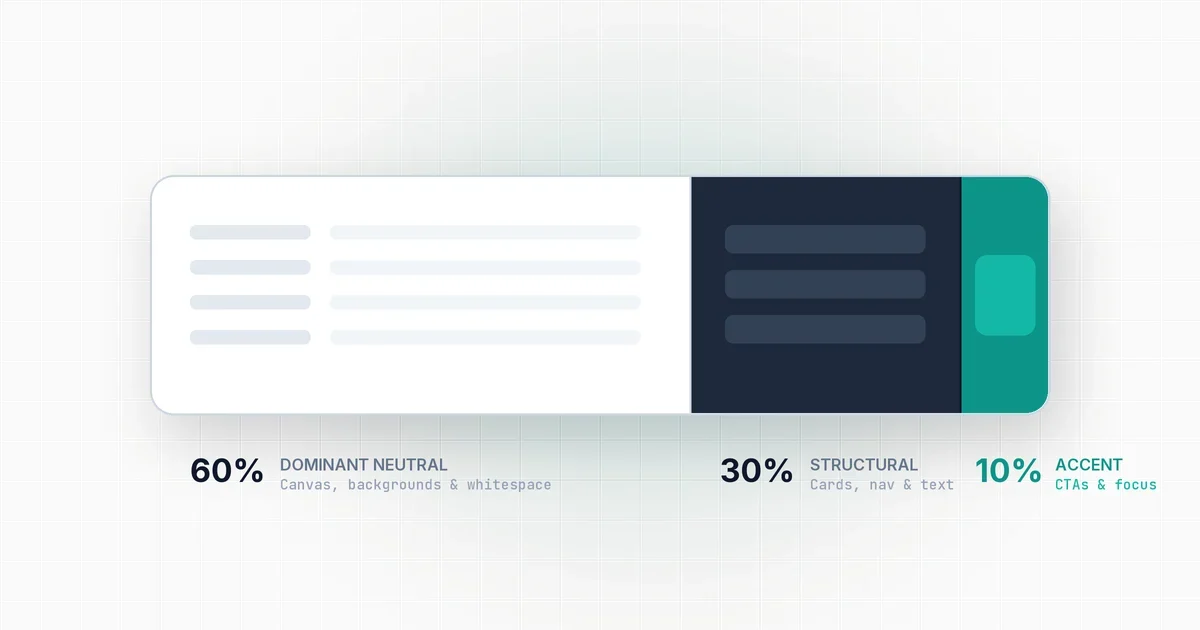
To see how proportional color balancing works across a complete page layout, our guide to the 60-30-10 palette rule explains how to structure your tokens.
What about modern OKLCH?
While HSL is vastly superior to raw HEX for CSS architecture, it has one known limitation: its lightness scale is non-perceptual. Pure yellow at 50% lightness looks blindingly bright to human eyes, while pure blue at 50% lightness looks dark.
Modern CSS now supports oklch(). OKLCH provides the exact same component flexibility as HSL (Lightness, Chroma, Hue), but its lightness scale is perceptually uniform across all hues.
If your team supports modern evergreen browsers, use OKLCH as your primary design token format. If you need support for legacy enterprise browsers, use HSL.
| Feature | HEX (#RRGGBB) |
HSL (hsl()) |
OKLCH (oklch()) |
|---|---|---|---|
| Human readable | No | Yes | Yes |
| Easy hover states | Requires new hex | Simple calc(L - 10%) |
Simple calc(L - 10%) |
| Alpha transparency | Hex suffix (80) |
Natural / 0.5 syntax |
Natural / 0.5 syntax |
| Perceptual lightness | No | No | Yes (Uniform) |
| Browser compatibility | 100% | 99.8% | 93% (Modern engines) |
To experiment with harmonic palettes, create custom scales, and export clean CSS variables, test your ideas in the ToolQuilt palette generator.